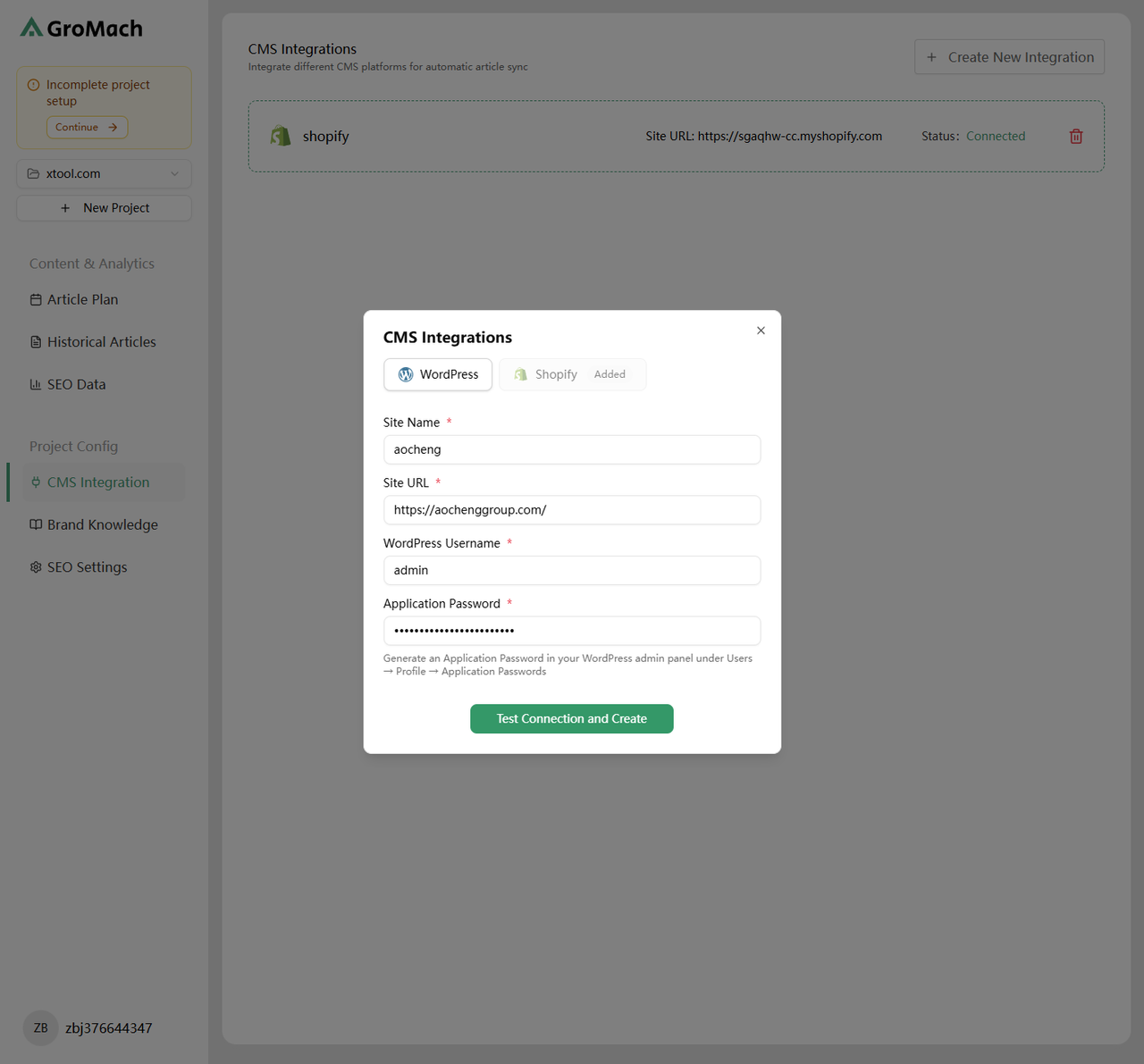
Step 1: Generate Application Password
Log in to your WordPress admin dashboard and navigate to Users > Profile.
Scroll down to find the "Application Passwords" section.
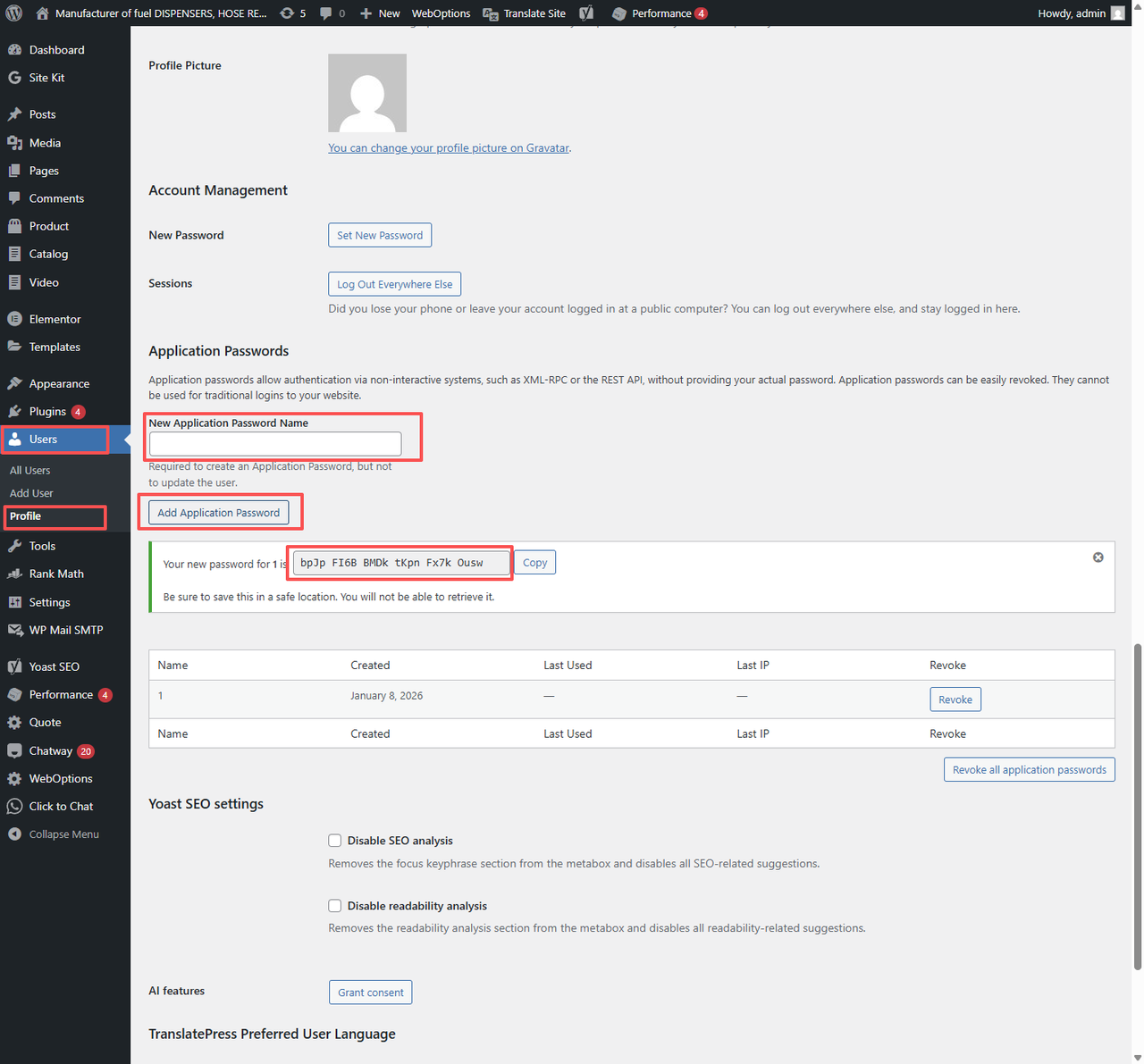
- New Application Password Name: Enter any name
- Click the "Add New Application Password" button
- The system will generate a string of characters separated by spaces (e.g., xxxx xxxx xxxx xxxx)
Important
Please copy this entire string. Once you refresh the page, it will no longer be displayed.
Step 2: Configure GroMach Connection
Go back to the GroMach interface and fill in the following information:
- Site Name: Your website name
- Site URL: Website URL with protocol (https/http)
- WordPress Username: Your WordPress admin username (e.g., admin)
- Application Password: The access key created in the previous step